How to Check BISP 8171 Results by CNIC for 13,500 PKR Payment (Latest Update November 2025)
The Benazir Income Support Programme (BISP 8171) continues to be Pakistan’s leading welfare initiative, helping millions of underprivileged families across the country. In November 2025, the government announced a new installment of Rs. 13,500 under the 8171 Ehsaas Program, aimed at supporting low-income households struggling with inflation and rising living costs.
If you’re already registered under BISP or recently applied, it’s crucial to check your eligibility and payment status before collecting your funds. The process is quick, free, and accessible both online and offline, ensuring every deserving family gets the help they need.
In this detailed guide, you’ll learn how to check your BISP 8171 results using your CNIC number through three official methods — online, via SMS, and by visiting a local BISP office.
What is the Benazir Income Support Programme (BISP 8171)?
Launched in 2008, the Benazir Income Support Programme (BISP) is Pakistan’s most impactful social safety net. It was introduced to reduce poverty and empower women by providing them with direct financial assistance. Over the years, BISP has expanded into multiple branches, including:
- Benazir Kafaalat Program: Monthly cash assistance for women.
- Benazir Taleemi Wazaif: Educational scholarships for children from low-income families.
- Benazir Nashonuma Program: Nutritional support for pregnant women and young children.
In 2025, BISP introduced another Rs. 13,500 payment for registered families through the 8171 Ehsaas portal, aiming to reduce financial pressure and ensure stability for Pakistan’s most vulnerable citizens.
How to Check BISP 8171 Results by CNIC Online
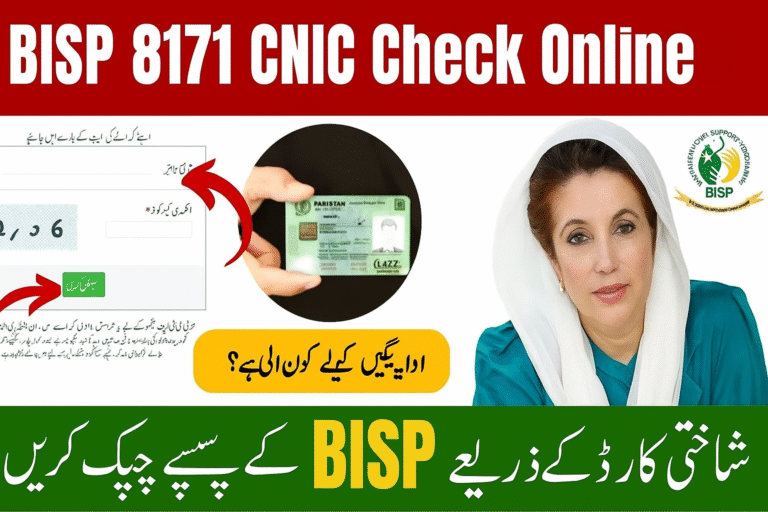
The online method is the most reliable and convenient way to verify your eligibility and payment details. The BISP official portal (8171.bisp.gov.pk) allows users to check their records from any mobile, tablet, or computer.
Step-by-Step Process
| Step | Action |
|---|---|
| 1. Visit the official BISP portal | Open your web browser and go to 8171.bisp.gov.pk. |
| 2. Enter your CNIC number | Type your 13-digit CNIC without spaces or dashes (e.g., 3520212345678). |
| 3. Fill the CAPTCHA code | Enter the image code correctly for security verification. |
| 4. Click “Submit” or “Check Status” | Tap the green button to process your request. |
| 5. View your eligibility results | The system will display your payment status, eligibility, and the total amount. |
💡 Tip: Always double-check your CNIC number before submitting. A single incorrect digit can lead to “Record Not Found” or incorrect information.
How to Check BISP 8171 Results via SMS
If you don’t have access to the internet or prefer a simpler way, you can check your eligibility by sending a text message to 8171. This method works on all mobile networks, including Jazz, Zong, Ufone, and Telenor.
Here’s how:
- Open the messaging app on your mobile phone.
- Type your 13-digit CNIC number (without any dashes or spaces).
- Send it to 8171.
- Wait for a reply — within a few minutes, you’ll receive an SMS from BISP with your eligibility or payment information.
Example:
Type: 3520212345678
Send To: 8171
If you don’t receive a reply, check your mobile balance, make sure you typed the number correctly, and confirm that you sent it to 8171 (not any other number). This SMS service is especially useful for residents of rural areas where internet access might be limited.
How to Check BISP 8171 Payment Through a Local BISP Office
Some people prefer face-to-face assistance or face technical issues online. In such cases, visiting a nearby BISP office is the best option. Each district in Pakistan has multiple centers that help beneficiaries verify their information and collect payments.
Follow these simple steps:
- Bring your original CNIC and registered mobile number.
- Visit the nearest BISP Tehsil Office in your area.
- Provide your CNIC to the BISP officer at the counter.
- The officer will check your record in the National Socio-Economic Registry (NSER) database.
- You’ll be informed about your eligibility, payment amount, and release date.
🟩 Why visit in person?
- Ideal for people without internet or mobile access.
- You can update your CNIC or contact information.
- Staff can help you file complaints if payments are delayed.
⚠️ Common Issues While Checking BISP 8171 Results
Sometimes, applicants face minor issues while checking their eligibility or payment status. Here are a few common problems and their solutions:
| Problem | Possible Cause | Solution |
|---|---|---|
| No SMS reply from 8171 | Low balance or wrong number | Check your balance and resend to 8171 |
| Incorrect CNIC error | Typing mistake in CNIC | Re-enter your CNIC carefully |
| Website not loading | Heavy server traffic | Try again later during off-peak hours |
| Payment not showing | Record not updated yet | Wait a few days and recheck |
| Duplicate registration | Same CNIC used twice | Visit BISP office to fix manually |
Conclusion
The BISP 8171 13,500 PKR payment is a vital relief measure for thousands of families in Pakistan. Checking your eligibility is simple and can be done in minutes using the online portal, SMS service, or by visiting your local BISP office.
Always ensure that your CNIC number is correct and that you use official channels only to avoid scams or false information. If you face any difficulty, you can contact the BISP Helpline (0800-26477) or visit the nearest BISP center for help.
❓ FAQs – Check BISP 8171 Results by CNIC
1. How can I check my BISP eligibility online?
Visit 8171.bisp.gov.pk, enter your CNIC and verification code, then click “Submit” to view your results.
2. What is the SMS method for checking eligibility?
Type your CNIC (without dashes) and send it to 8171. You’ll receive a confirmation SMS about your eligibility.
3. What documents should I bring to the BISP office?
Bring your CNIC and, if possible, your registered mobile number for verification.
4. What should I do if I don’t get an SMS reply?
Check your mobile balance, ensure the message is sent to 8171, and try again after a few minutes.
5. What are the three ways to check BISP 8171 results?
- Online through the BISP 8171 web portal
- By sending an SMS to 8171
- By visiting a local BISP office